Medcallz eSign

Sign Documents
Without The Paperwork

Send, sign and manage healthcare documents digitally
— all from Medcallz.

Prepare documents, request signatures and receive completed documents digitally. No printing. No scanning. No chasing paperwork.

Sign Documents <br>Without The Paperwork
electronic signatures, simplified

A Simpler Way To Get Documents
Signed

Medcallz eSign makes healthcare document signing simple. Prepare forms, request signatures and track progress—all in one workflow. Clients can sign online from anywhere, while practices save time and eliminate unnecessary paperwork.
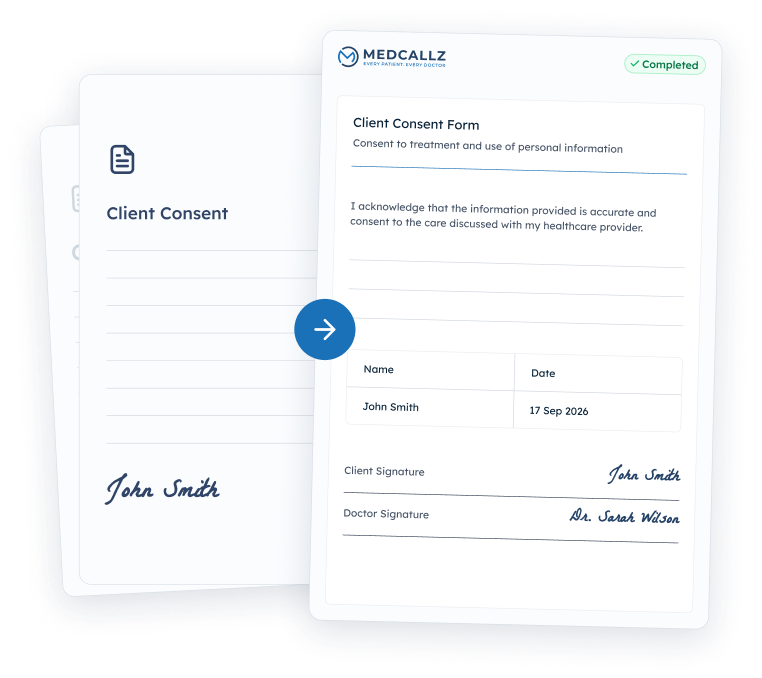
  • Remote Signing
  • Faster Turnaround
  • Centralised Management
A Simpler Way To Get Documents <br>Signed
Start With The Document You Already<br> Use
01 prepare

Start With The Document You Already
Use

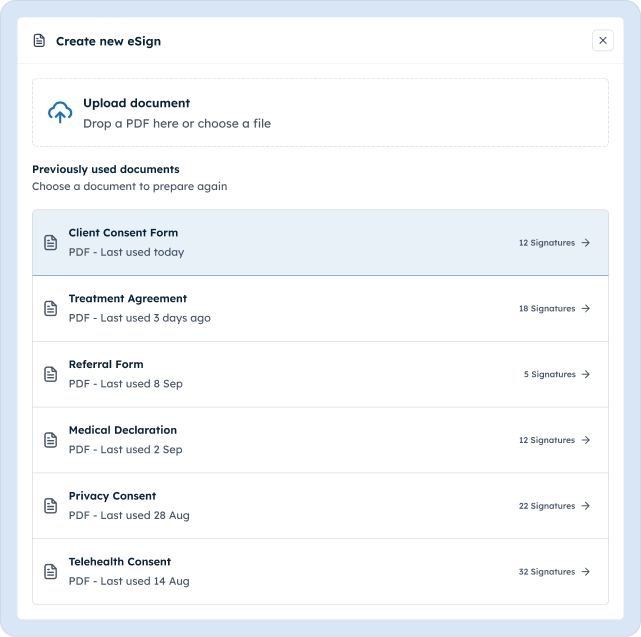
Upload a new PDF or choose a document you have used before. Your familiar healthcare forms become the starting point for a digital signing workflow.

02 drag & drop fields

Place Every Field Exactly
Where You Need It

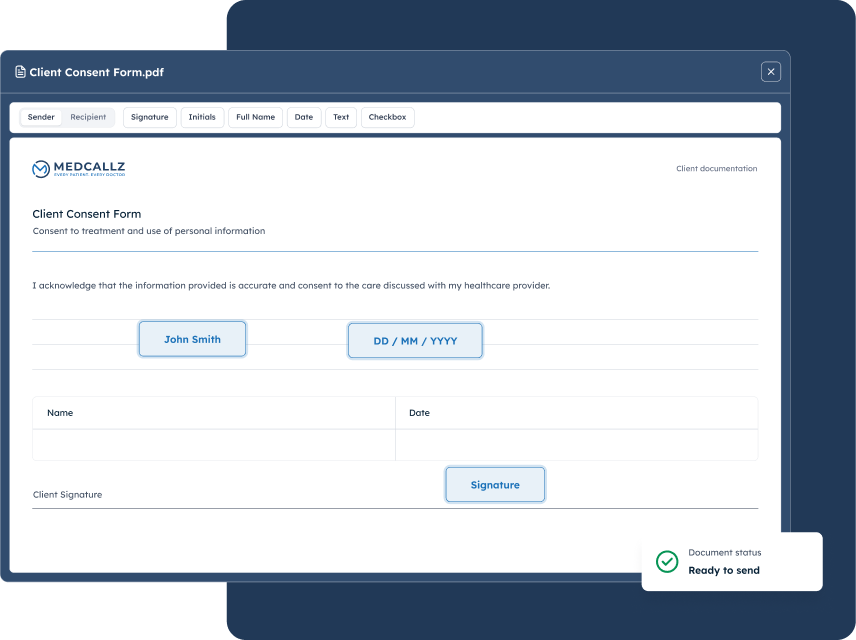
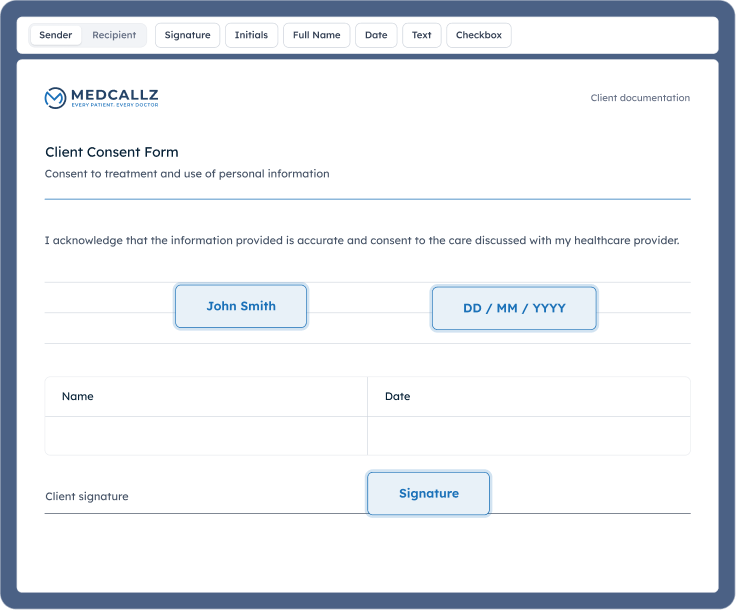
Add the information you need and place it directly onto the document. Drag fields exactly where the client or doctor needs to complete them.
Place Every Field Exactly<br> Where You Need It
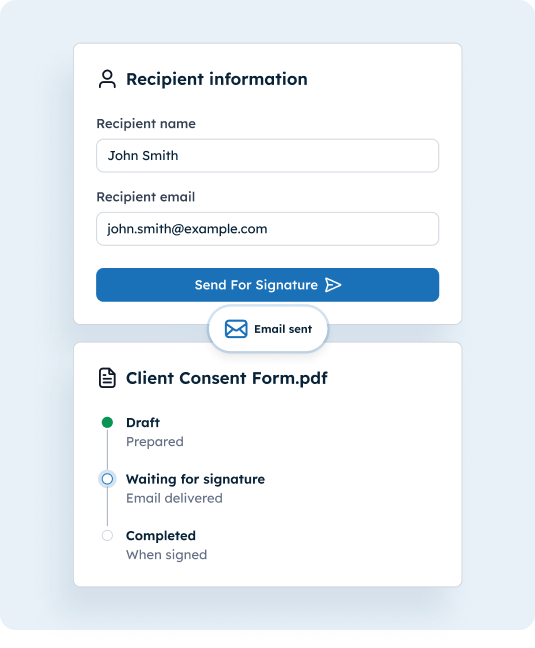
Send It. Track It. Get It Back Signed
03 send & track

Send It. Track It. Get It Back Signed

Add the recipient, send a secure signing link by email and follow the document through every stage.

04 back in medcallz

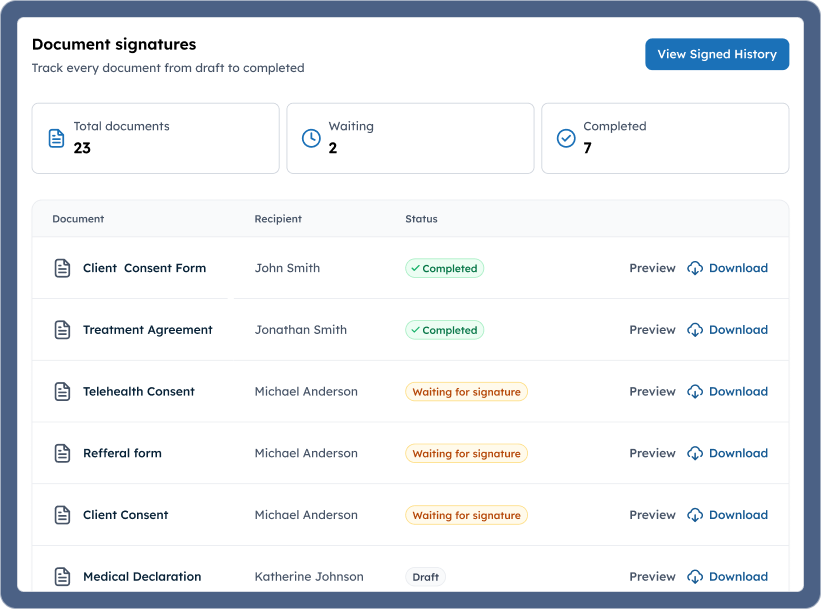
Everything Comes Back To Your
Medcallz Portal

Preview completed documents, download a signed copy and see what still needs attention — all from one organised view.
Everything Comes Back To Your <br>Medcallz Portal

built for better workflows

Less Paperwork.
More Time For Clients.

  • Faster Turnaround

    Get documents signed without printing, scanning or waiting for paperwork to come back.

  • Better Client Experience

    Clients can review and sign from their phone, tablet or computer.

  • Simple Document Workflow

    Prepare, send and track documents from one place.

  • Secure Signing Links

    Recipients sign through a private, single-use link from their email - no account or download required.

  • Your Fields and Theirs

    Pre-fill your own details before sending, and lock them so only the recipient’s fields remain to complete.

  • Keep Everything Organised

    See which documents are drafts, waiting for signatures or completed.

Simple Pricing

Simple eSign Pricing

Everything your practice needs to prepare, send, and collect legally
recognized signatures — with no hidden fees.

  • eSign

    $12

    /month

    Full access to upload, customize, and request signatures for all clinical staff members.

    Includes

    • Send documents for electronic signature
    • Upload new documents
    • Reuse previously used documents
    • Drag-and-drop signature fields
    • Customise signature fields
    • Email documents directly to recipients
    • Document status tracking
    • Preview or download completed documents
    Get Started With eSign
particles particles

questions, answered

Frequently
Asked Questions

What is Medcallz eSign?
arrow arrow
Medcallz eSign lets healthcare providers send documents electronically for clients or other recipients to review and sign, then manage the completed document from Medcallz.
How Does eSign Work?
arrow arrow
Upload or select a document, add the required fields, enter the recipient details and send it. The recipient signs online and the completed document returns to your Medcallz portal.
Can I Reuse Documents?
arrow arrow
Yes. You can select a previously used document instead of uploading it again, helping frequent forms move faster.
Can Clients Sign From Their Phone?
arrow arrow
Yes. The signing experience is designed to work across phones, tablets and computers without a complicated account setup.
Can Clients Type or Draw Their Signature?
arrow arrow
Yes. Clients can draw their signature or type it using an available signature style before applying it to the document.
Can I Track The Document Status?
arrow arrow
Yes. Every document shows a clear Draft, Waiting for signature or Completed status throughout the workflow.
Can I Download The Signed Document?
arrow arrow
Yes. Completed documents can be previewed and downloaded from the doctor portal.